Guess what I just received in the mail?
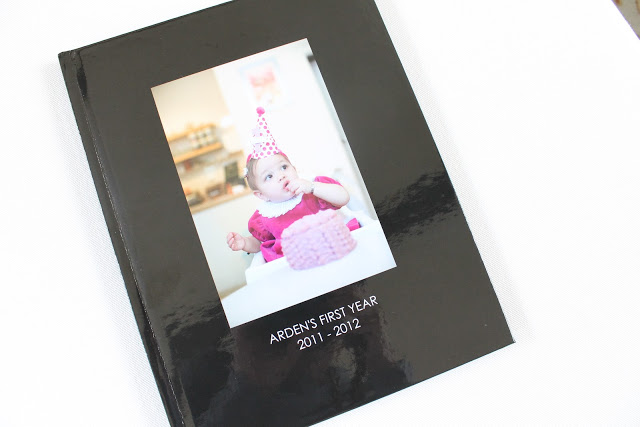
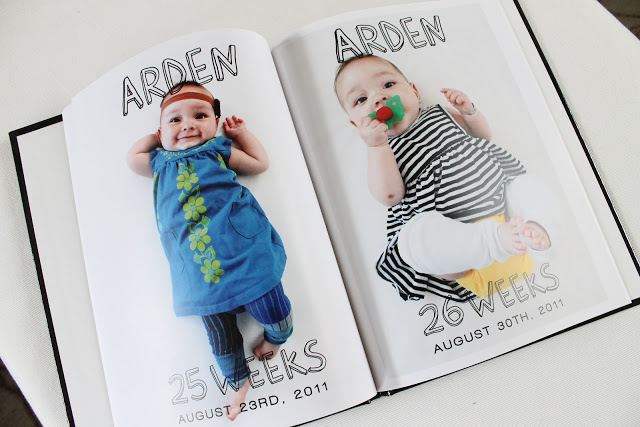
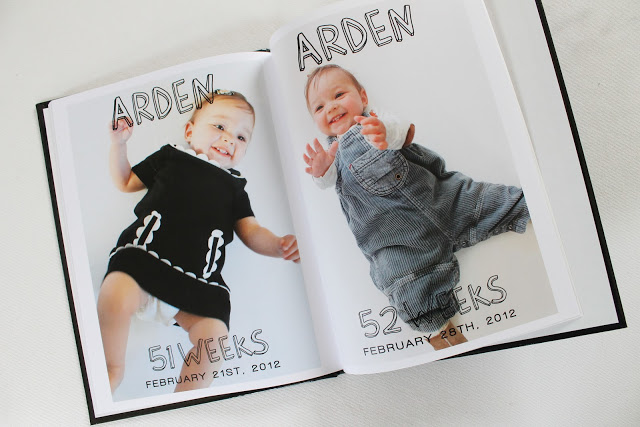
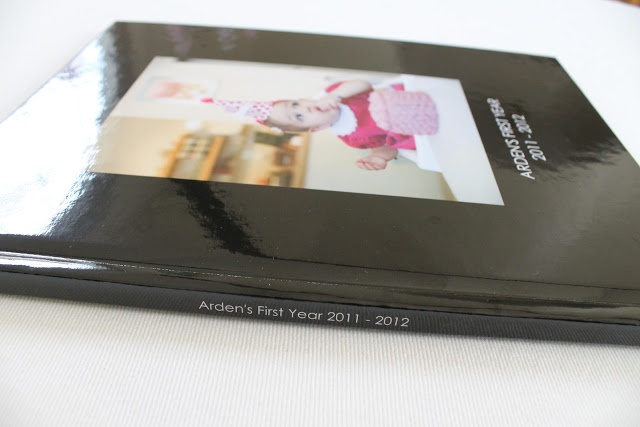


I decided to give Mixbook a try since they were the only option where I could get a hardcover, quality printing and my choice of pages. And you know what? I LOVE how it turned out. Having worked with color at a previous job (for the Pottery Barn catalog), I can tell you I’m pretty picky with how my pictures print out. I’ve ordered books from other vendors before and have been pretty disappointed. Most of the time when I get prints I’m disappointed as well 😉 So it’s huge to say that I’m so happy with this book! I want this a yearly tradition and I’m definitely going to be using Mixbook again!
By the way, this post hasn’t been sponsored by Mixbook at all…I just really love my photobook 😉 Didn’t it turn out great?
Sick of hearing of baby and just want the home goods? Or vice versa? Click here to change your CCC subscription.
Anna says
ADORE. Beautiful! Woud you share the typeface you used for the overlay? Love it!
Melody says
So adorable! That's such a great idea!
MV says
I used Mixbook for my daughter's book too and was very happy with how it turned out! In the past, I've used shutterfly, walmart, and blurb for photo books. Mixbook was the best quality and options!
Anonymous says
That's adorable! I admire your dedication to taking weekly pictures of Arden! You will treasure that book forever!!
Zummoam says
LOVE IT! what font are you using for the word Arden?
Kara Patterson says
So cute!! I have been extremely happy with Mixbook too; my boyfriend made me a photo book for Christmas last year that made me cry, it was so well done! I've since given gift certificates to their website to friends as wedding gifts.
CopyCatChic says
It was a free font called Barlow: http://www.dafont.com/barlow-by-thunderpanda.font
CopyCatChic says
Barlow 🙂 http://www.dafont.com/barlow-by-thunderpanda.font
Betsy says
Beautiful! What do you have in mind for Year 2? Weekly pics or something else.
Andrea says
Love this book!! I will definitely keep Mixbook in mind the next time I want to put together another photobook!
Christine says
I used mixbook for Christmas gifts this year – photobooks as well and absolutely LOVED them! I'm also a very picky photobook/print person and they've been my favorite so far! Blurb did absolutely nothing for me and Shutterfly was too limited before. Your book looks great! I was also able to buy a groupon for it through another city – just googled Mixbook Groupon and there are always a couple out there!
Tara says
It looks great!! Good to know that you are so pleased with it since you have experience with printing/color. I'll definitely try using them for my next photobook project. By the way, Arden is just precious! I can't believe she's already 1!
Morgan says
Lovely job, Reichel! And such a great idea. I try and do a big coffee table photo book for each year and it is the BEST way to keep track of the year!
Katie J. says
Seriously need to see those 1st birthday party photos! 🙂
Reichel Broussard says
@Katie – Soon! The photographer has them on lock down until the end of the month 🙂
A Jennuine Life says
Great idea! Love the name BTW, my three year old daughter is named Arden.
StyleStache says
I love this!!!
Can I ask, how did you use your own downloaded font on the pages?
Thanks!
Reichel Broussard says
@StyleStache – I created the page images in Photoshop and uploaded the images (with the text) as a whole 🙂
Whitney Moore says
Hi Reichel! I love this idea! I have tried to do something similar, and when I went to upload the photos (with the text), the file sizes are huge. Mixbook's limit is 15MB, but my photos are easily 50-60MB. I used Photoshop Elements to edit and add the text. Thanks in advance for any advice you can offer! Love the blog!
StyleStache says
Ahh-ha! Makes sense now!! Thanks so much, I absolutely LOVE this idea. You're such a good mother, this is a life long treasure!!
Jill. says
I love this! I'm trying to upload them now but my picture is getting cropped. What size did you do it in?
Reichel Broussard says
8.5×11 classic 🙂
Jacqueline says
I love this idea. I'm new to Photoshop CS5. Would you mind telling me how you got the white background the same for every picture or how you created the page images? Thanks!
Reichel Broussard says
First I used a white backdrop (either or sheet or, in my case, a white sofa). Then I just brightened the background in Photoshop using the level function. Cheers!
Jacqueline says
Thanks! Is there a way I can brighten the background and not white out the person? Would you mind telling me how you created the page images? Thanks!
Reichel Broussard says
I used different tools in Photoshop, like levels, brightness/contrast…etc.
Malak1 says
I would love to know as well! 🙂
Reichel Broussard says
I just used Photoshop, if you know the program at all, there's a bunch of different ways to edit the background. 🙂
lizC says
I love your photo book! I took similar weekly pictures of my little one, and I'm just starting my photo book on MixBook. Did you use the "blank canvas" or one of the templates they offer?
Thanks!
-Liz
lizpledger85@gmail.com
Reichel Broussard says
Hi Liz- I used the blank canvas and just created my own layouts in Photoshop 🙂 xo
eelatan says
Here's a suggestion for people who have a lot of camera phone pics plus digital camera pics (which are not standard print size, and thus get cropped when you're ordering prints or books:
I created a template in photoshop called "baby book overlay." It is an 8.5 x 11 canvas, transparent background, with the words already included as a separate layer (ex: "5 weeks" "July 22, 2013"). Then I choose the pic I want for each week, open it separately in photoshop, make all the tweaks I need (brightness, etc.), and save that image. Then, I go back to the "baby book overlay" template, and in the drop down menu choose "place," and then place the edited pic right onto the page. You will have to drag it down to be the last layer in order for the words to appear. Then I save that as a jpeg called "week 5 page" or, actually, I think I called it "page 6."
This method is really good for making sure the font appears the same size on each page (if you are working with photos of varying sizes and resolutions, the fonts will get resized in the process. Long story, but trust me on that.) It also ensures the words are in the same place on each page, which helps the OCD in me. 🙂 Finally, it makes sure that when you upload all of these images to the printing site, they will not be cropped horribly.
I hope this helps others as sort of a "how to" for creating the layouts in Photoshop. I can clarify if necessary. 🙂
Thanks for the inspiration!!
caitee says
Love love love this! Question for you — how did you decide to put Arden's name at the top of every page? I am thinking of doing this for my son, and was just curious….
Reichel Broussard says
I used photoshop 🙂
caitee says
Ah sorry, I meant how did you decide to put her name on the top of every page, since it's a whole book of her photos? Also, are there ever pictures with you in it with her or something other than her lying down? Just curious ?
Reichel Broussard says
Originally I created each image for a blog series that I posted here on Copy Cat Chic. It was only at the end of the year that I decided to make it into a book 🙂 There's one or two where she's in a different setting, but they're mostly all laying down.